Ticketing platform
A Khaeli study, an AWS architecture for ticket drops, drawn as a clickable console.
- Cloud architecture
- Cloud architecture
- Engineering
- Dashboard
- Study
Overview
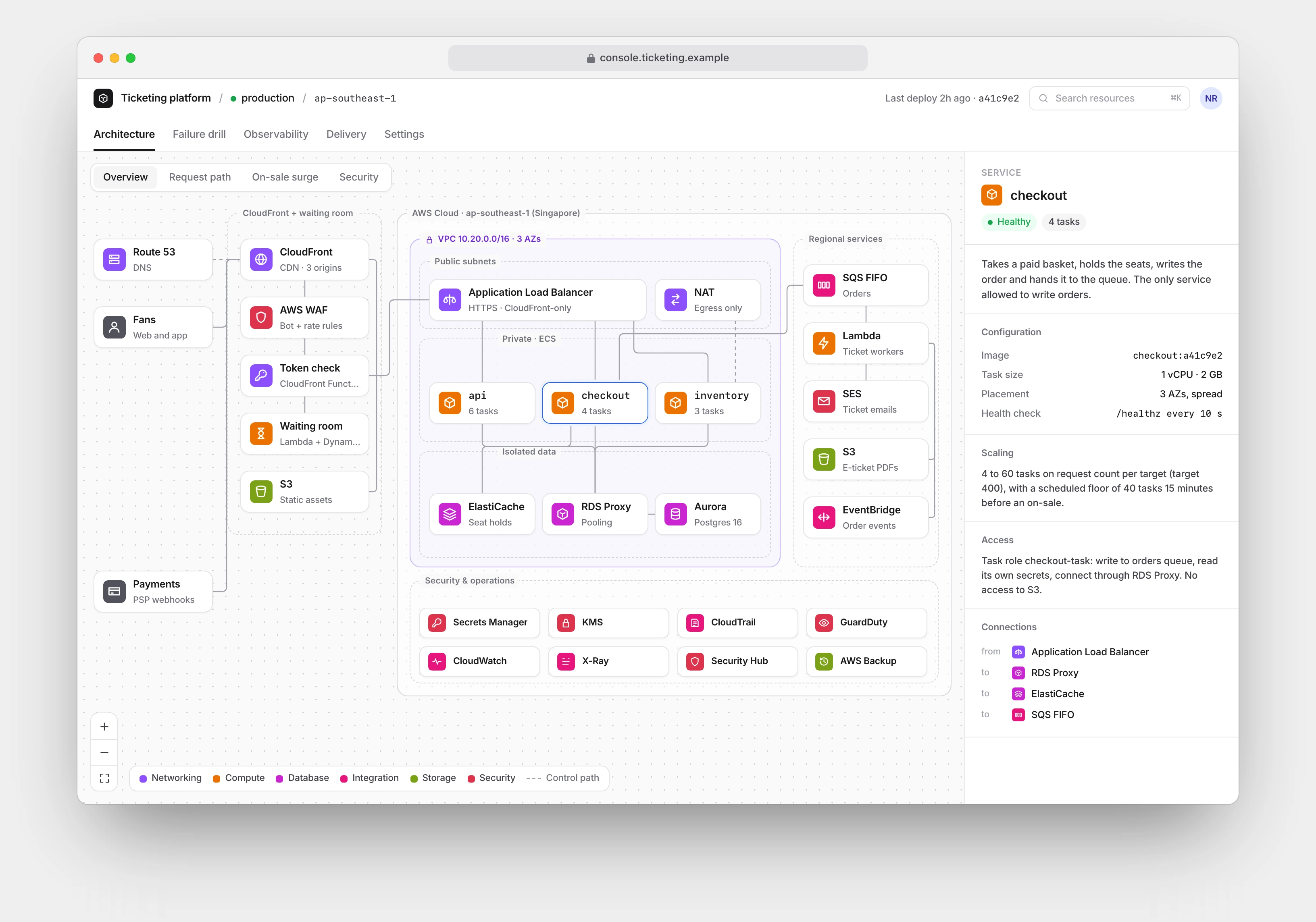
A ticketing platform is quiet for weeks, then takes around fifty times its normal traffic in the first minutes of an on-sale. This study is my answer to that spike: a complete AWS architecture for a regional ticketing platform, presented as the cloud console the platform team would actually use.
It is a Khaeli study, not a client system. No tickets were sold. I designed it and built every screen in code, so the diagram is data, the inspector is real, and every number on screen comes from one modelled scenario rather than a drawing tool.
The Problem
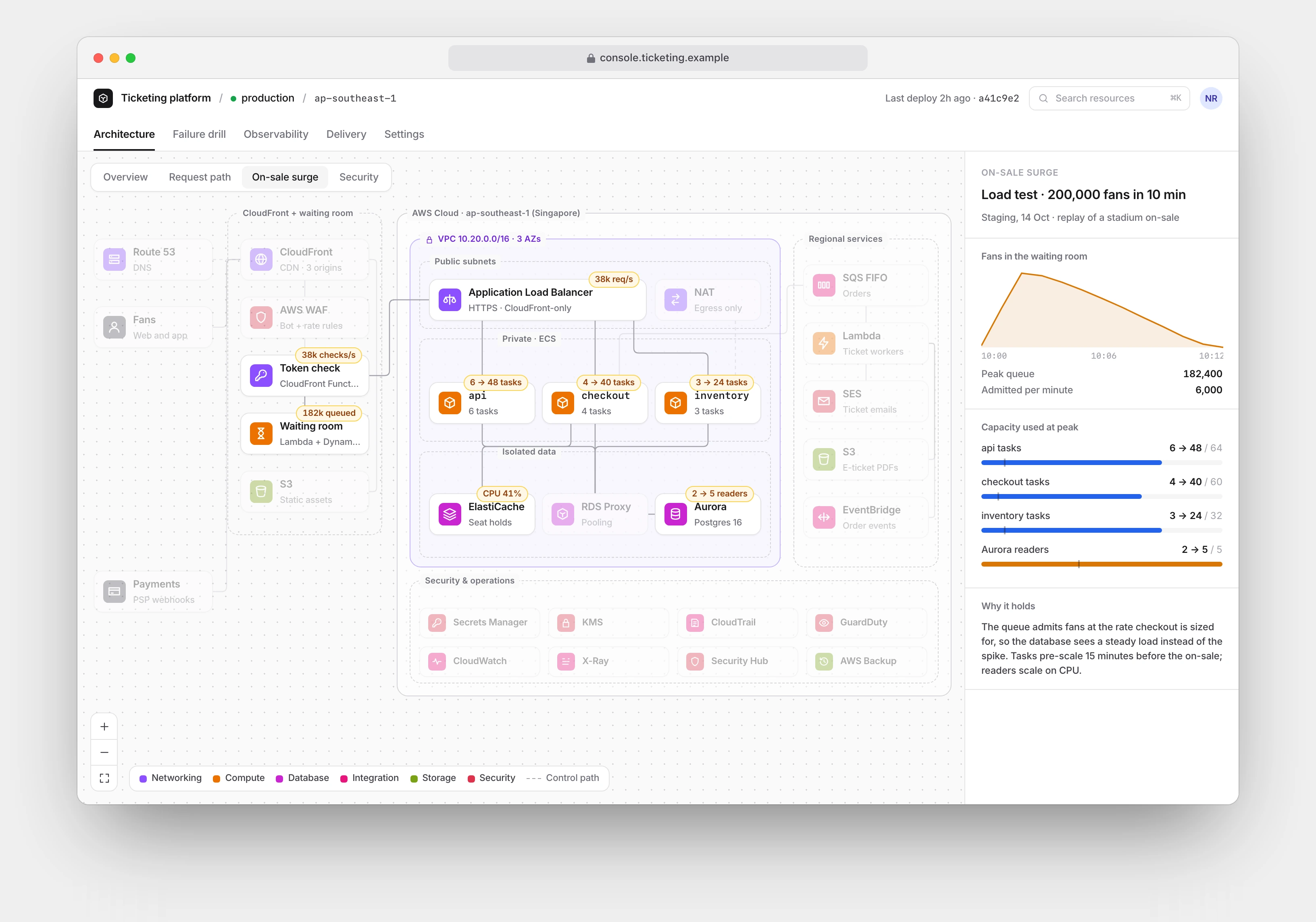
An on-sale is a worst case that arrives on schedule. In the modelled scenario, 200,000 fans show up inside ten minutes, all after the same small pool of seats. The usual failure is the database: thousands of checkouts land at once, connections run out, and the site dies at the exact moment it matters.
Underneath the load problem sit three harder ones. Two fans must never buy the same seat. A fan who retries a payment must not be charged twice, so checkout has to be idempotent. And admission has to be fair: a queue that lets people in, in order, at a rate the system can honour, instead of a refresh lottery that rewards whoever hammers the site hardest.
Goals and Constraints
I set four constraints before drawing anything.
- Two fans never buy the same seat, under any failure.
- Losing an availability zone must not stop sales.
- Nothing but the CDN is reachable from the internet.
- The team can see, in one place, how a request travels and what each service is allowed to touch.
Two more came from the study format itself. Every screen had to be rendered from code, not mocked in a design tool. And no money appears anywhere: capacity is shown as utilisation and task counts, because invented revenue teaches nothing.
The Solution
The architecture absorbs the spike instead of chasing it.
A waiting room sits in front, built on Lambda, API Gateway and DynamoDB. When demand passes what checkout is sized for, fans queue and receive signed admission tokens at the rate checkout can take. A CloudFront Function verifies each token at the edge with no network call, so the check adds nothing at peak. Scaling the database to the raw peak would cost far more and still fall over at the next, bigger on-sale.
A seat hold is one atomic Redis write with an eight minute expiry. Abandoned baskets release themselves, and the order database only ever sees paid orders. Once an order is written, ticket PDFs, wallet passes and emails happen behind an SQS FIFO queue, so a slow email provider cannot slow checkout and orders for one event stay in sequence.
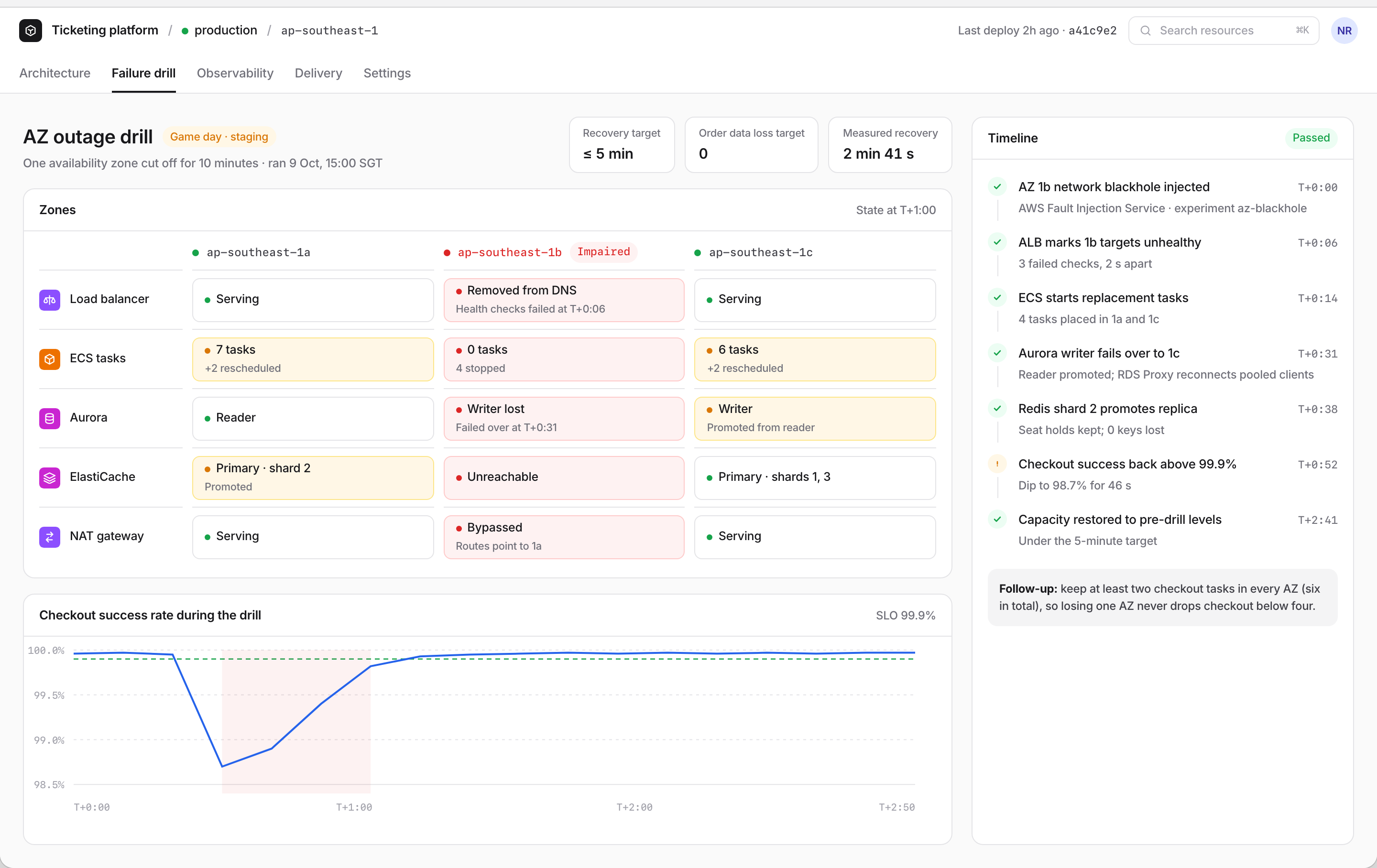
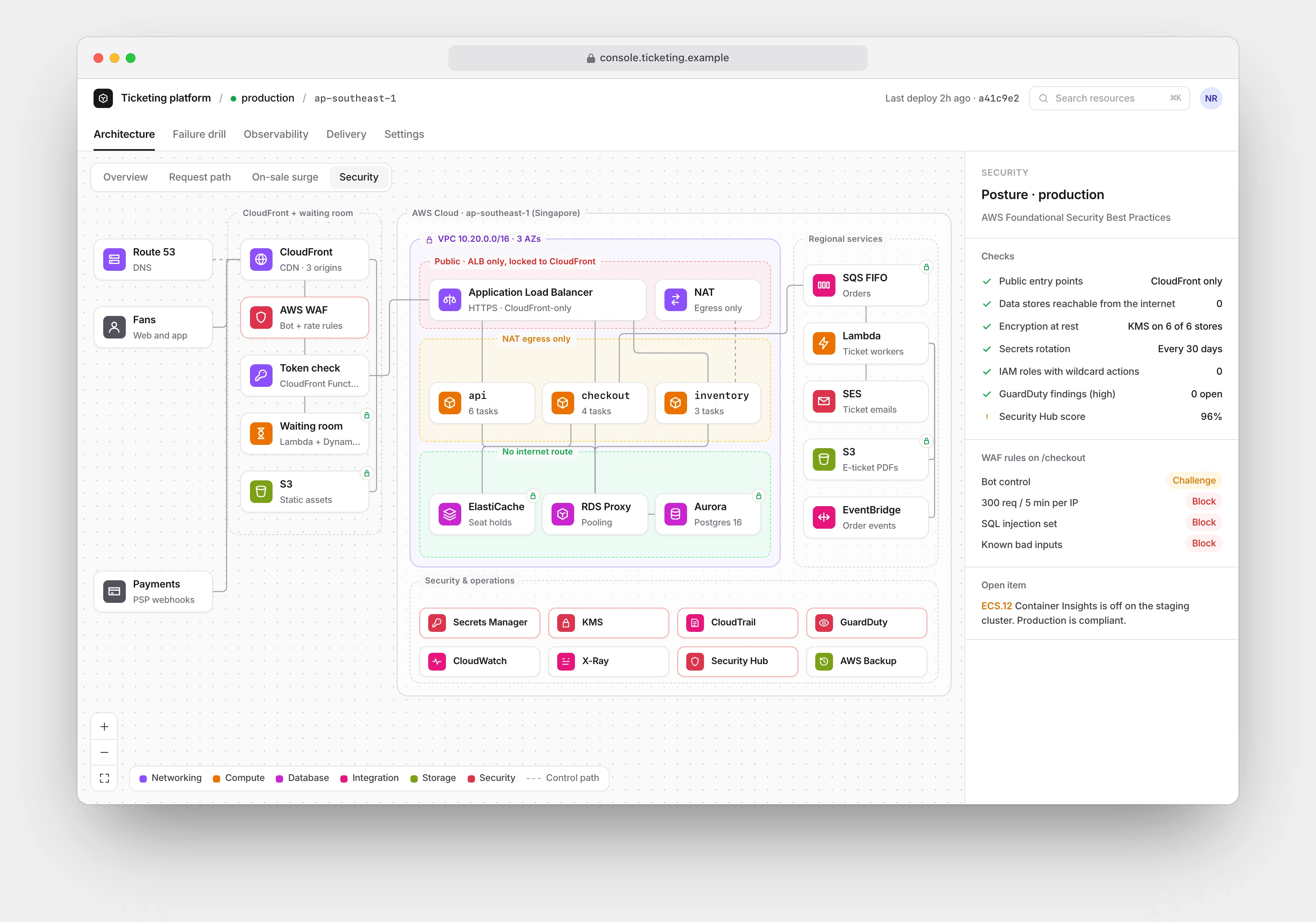
Only CloudFront is public. The load balancer accepts traffic from CloudFront alone, data sits in subnets with no internet route, and each of the six stores is encrypted with its own KMS key. Every tier runs across three availability zones, and a failure drill cuts one off on purpose to prove the platform recovers inside its five minute target.
| Layer | Picks | Why |
|---|---|---|
| Edge | CloudFront, AWS WAF, CloudFront Functions | the only public door; token checks cost nothing at peak |
| Waiting room | Lambda, API Gateway, DynamoDB | a queue that scales to zero between on-sales |
| Services | TypeScript on ECS Fargate, behind an ALB | no servers to patch; tasks pre-scale before a sale |
| Data | Aurora PostgreSQL, RDS Proxy, ElastiCache (Redis) | orders in Postgres, seat holds in memory with a TTL |
| Async | SQS FIFO, Lambda, SES, EventBridge | tickets and emails never slow checkout |
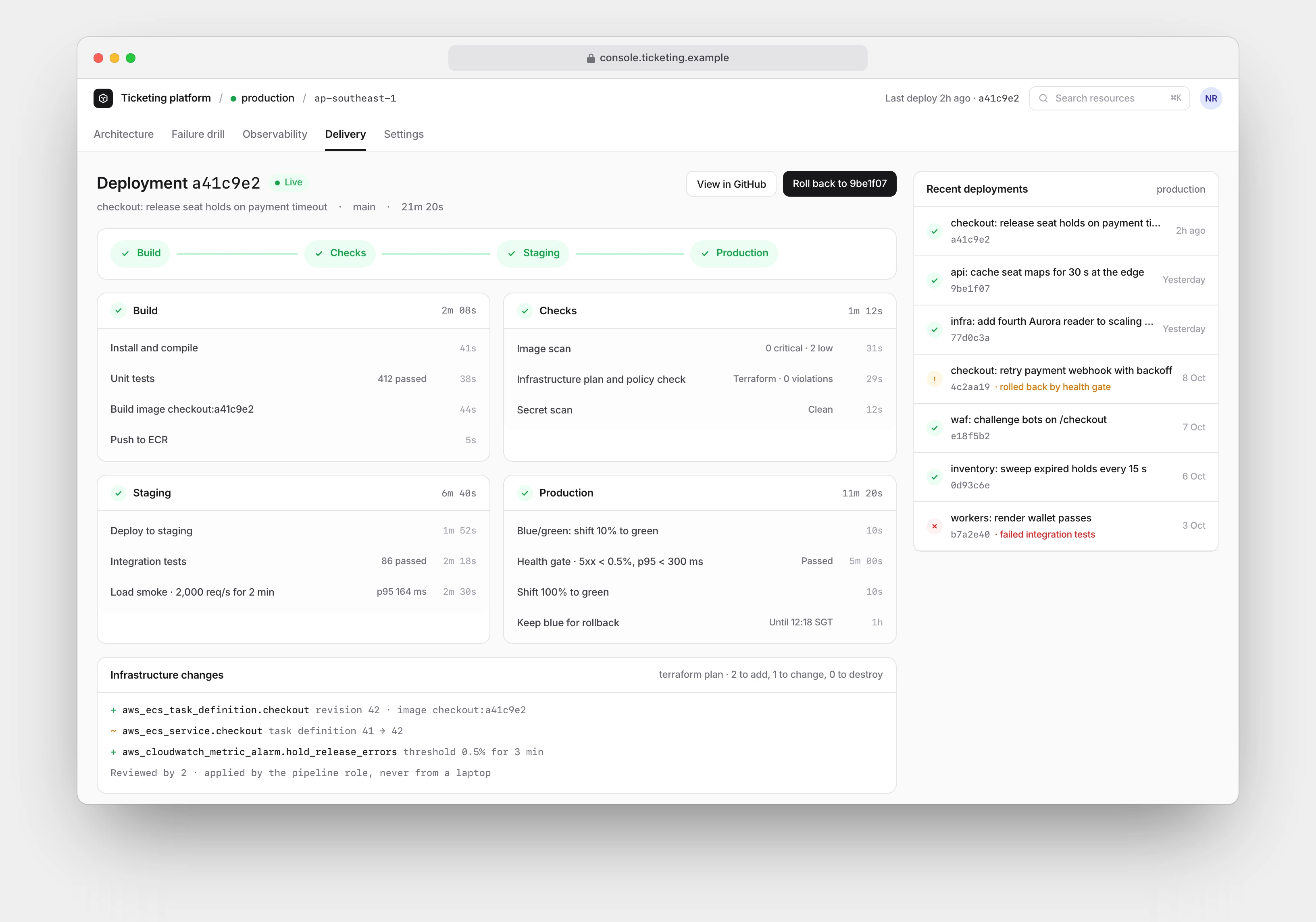
| Infrastructure | Terraform, GitHub Actions, CodeDeploy blue/green | every change reviewed and reversible |
| Operations | CloudWatch, X-Ray, GuardDuty, Security Hub, AWS Backup, Fault Injection Service | SLOs, traces and drills in one account |
The trade-off I accepted: managed services over portability. Fargate, Aurora and ElastiCache cost more per unit than self-managed servers, and they tie the platform to AWS. For a small team that has to survive on-sales, fewer servers to patch is worth more than the saving.
Process
The whole console is TypeScript and React. The diagram lives in one file, graph.ts: groups, nodes and orthogonal edges with hand placed coordinates on an 1100 by 810 canvas. All four architecture views, overview, request path, on-sale surge and security, reuse that single geometry and only change what is lit. The four stories can never drift apart because there is nothing to drift.
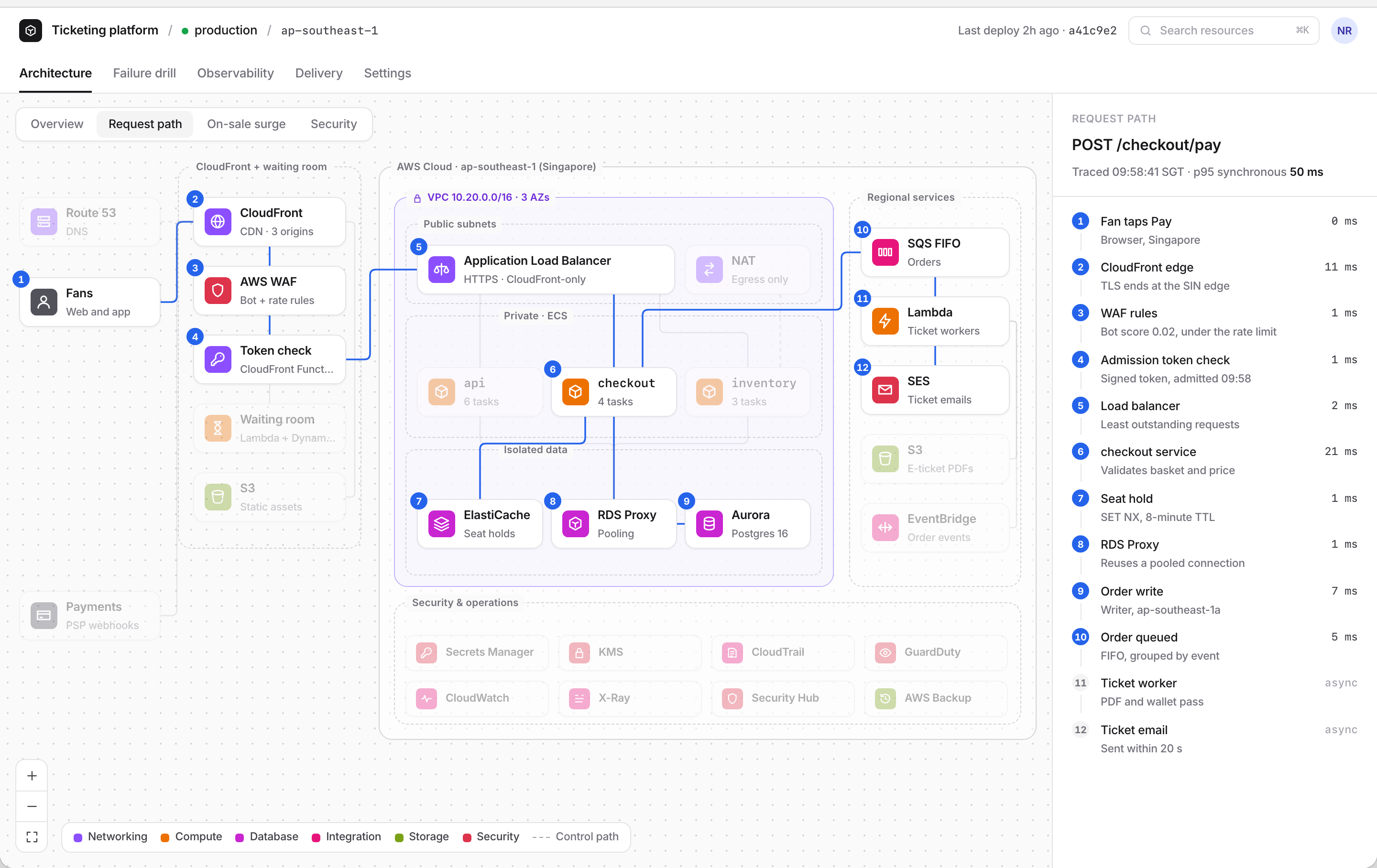
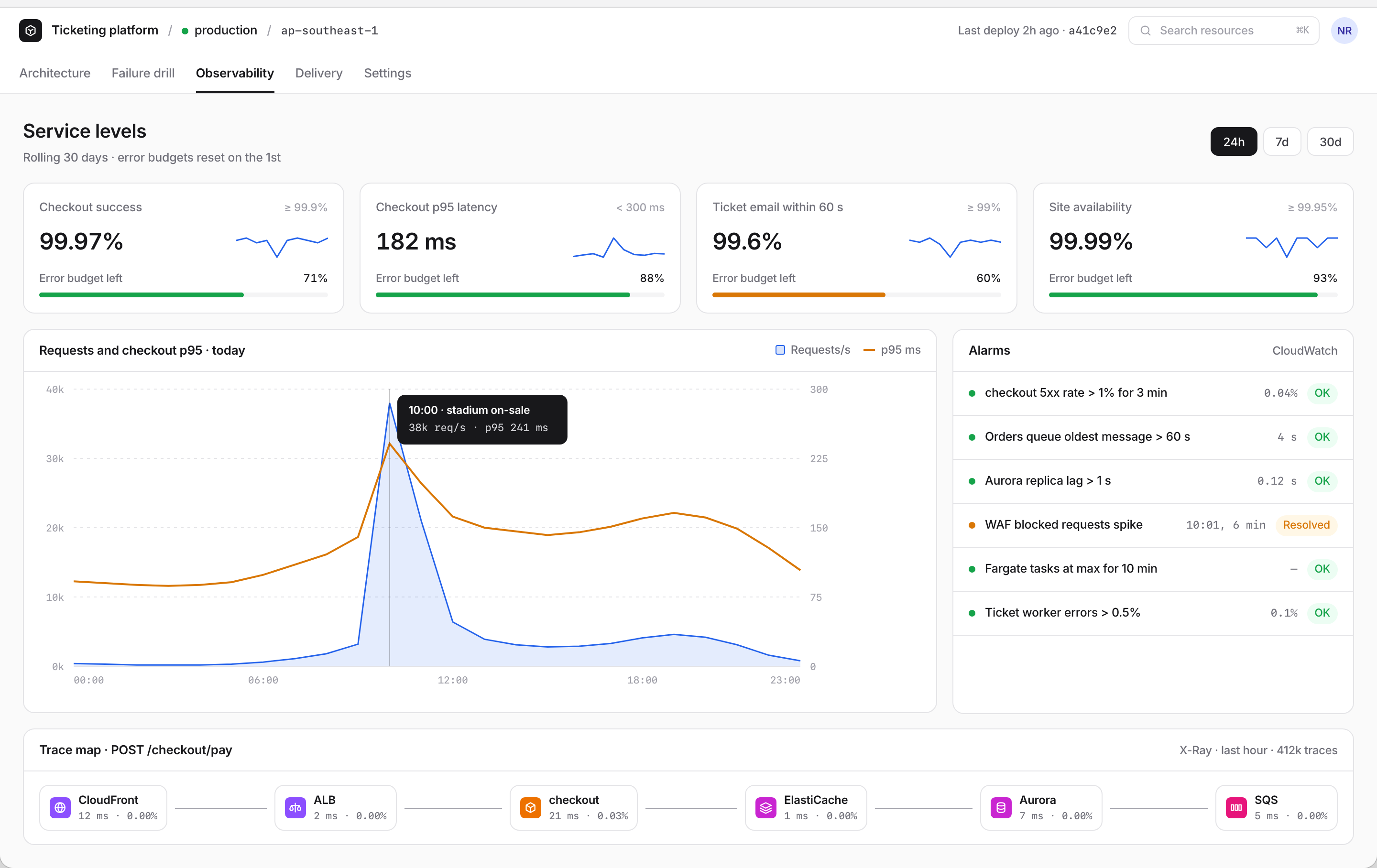
The request path view traces one POST /checkout/pay hop by hop. I budgeted the synchronous hops to 50 ms in the model, then made the screen prove it: each hop shows its own cost, and everything after the order write is marked async because it happens behind the queue. An admitted fan only pays for the edge token check; the waiting room is off the hot path entirely.
The service glyphs are drawn in code in the AWS category colours, and the inspector copy, purpose, configuration, scaling and IAM access for every service, is data sitting next to the graph. Changing the architecture means editing one file, and the UI follows.
Key Features
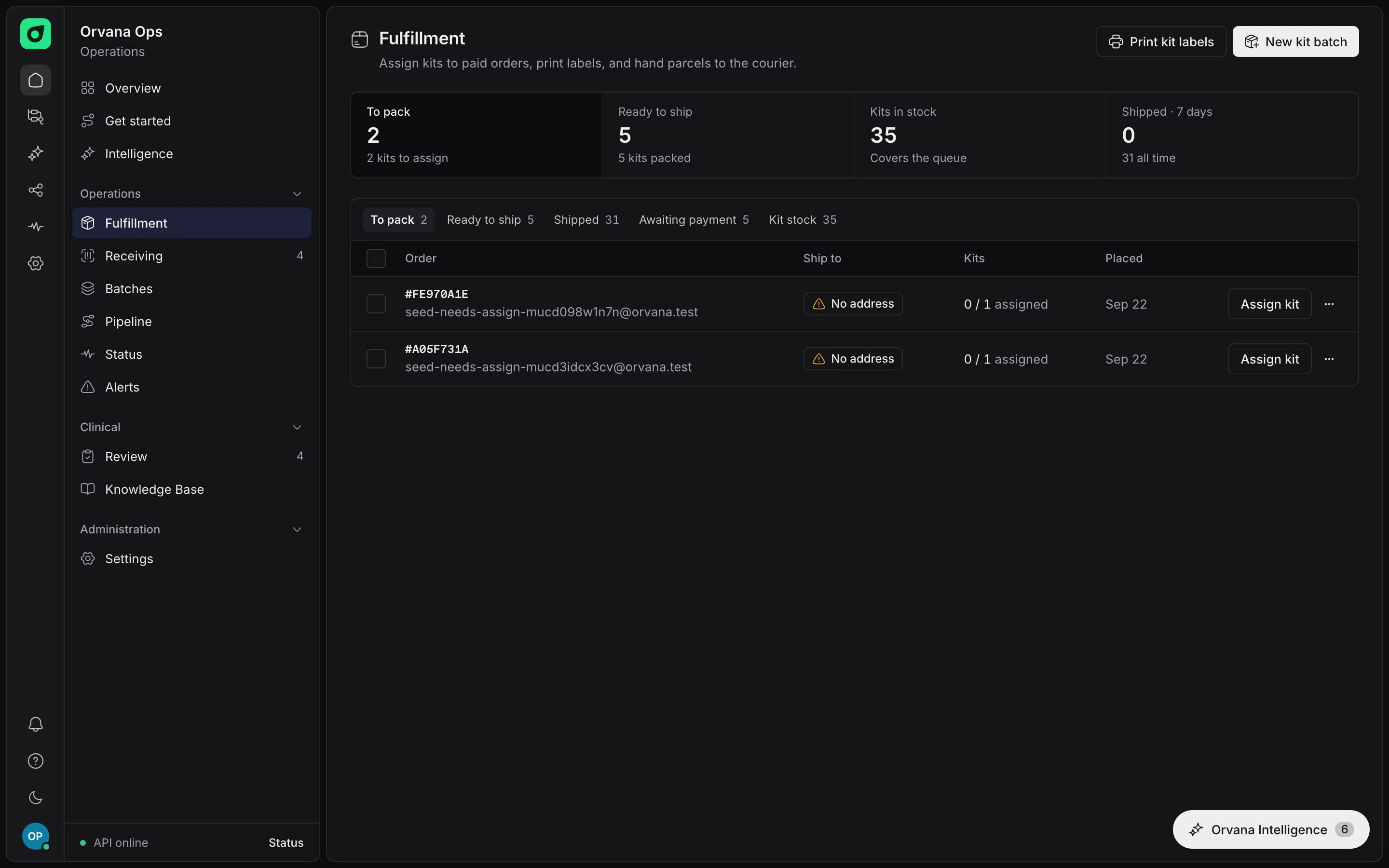
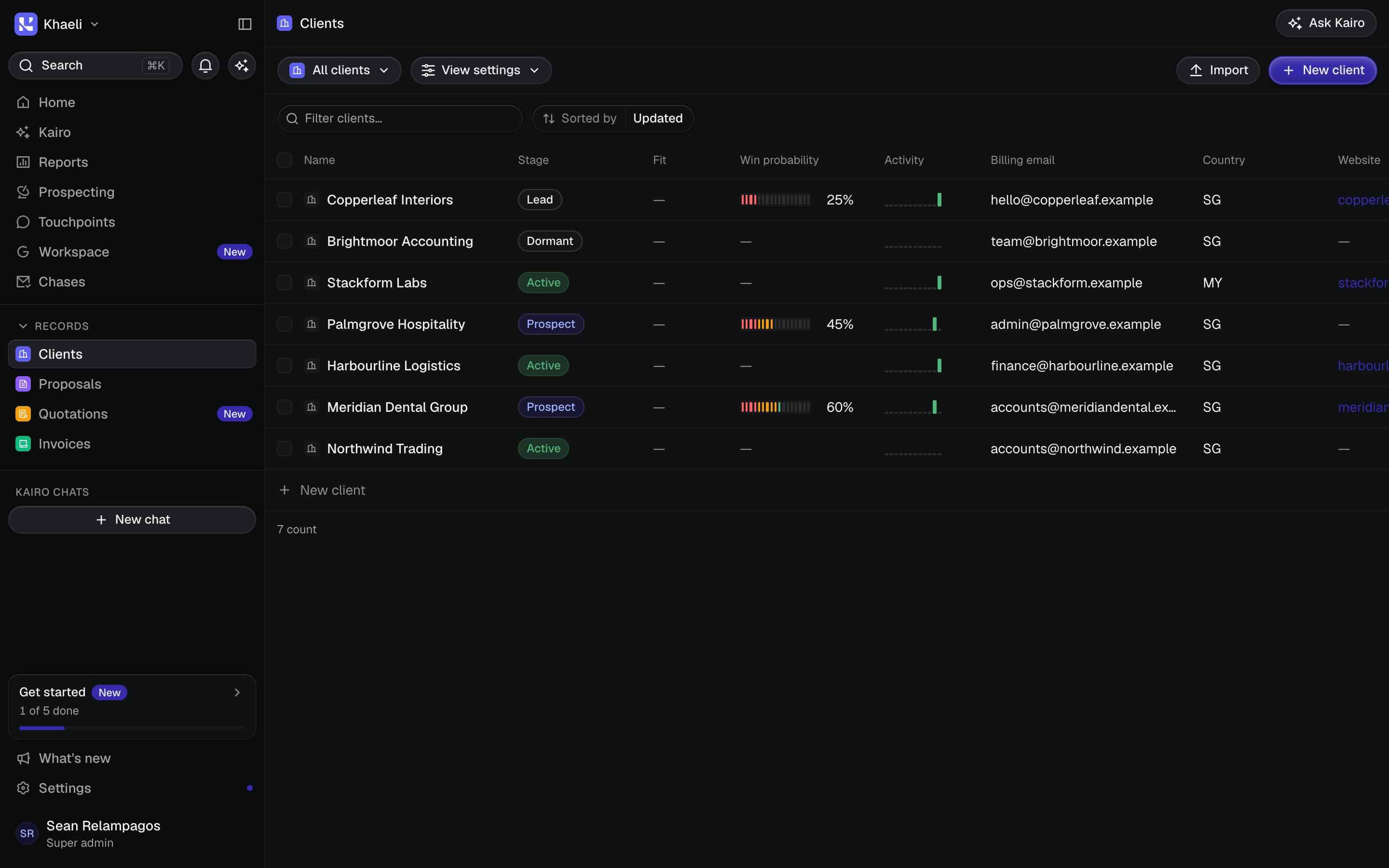
The console has five tabs: Architecture, Failure drill, Observability, Delivery and Settings. The architecture screen runs live on the Khaeli site, so you can click a service, light its neighbours, pan, zoom and switch views. The rest show the platform at its worst and at its most routine.
Cut a zone on purpose, then watch it recover
Four SLOs, the on-sale spike, and the trace behind it
The security view tints subnets by exposure and marks the KMS lock on every store, and the delivery tab walks one release from commit to a blue/green production deploy with a health gate in front of it.
What I Learned
Architecture as data pays for itself. Because the diagram is one typed structure, the surge view, the security view and the request path could not disagree with each other, and every change was a code review instead of a redraw. I would start any future system diagram this way.
Fairness is designed, not emergent. The interesting decisions were not about raw capacity but about who gets in and when: token rates, hold expiries, FIFO grouping. A queue is a product feature wearing infrastructure clothes.
Operator screens force honesty. Deciding which alarms, SLOs and drill results deserved a tab exposed gaps a static diagram would have hidden, like what actually happens to seat holds when a Redis shard fails over.
And I learned the limit of the format. The numbers on these screens are a coherent model, not production telemetry; a load test in a diagram proves the sizing story hangs together, not that it survives contact with real fans. The next step for this study is to build the waiting room for real and run the 200,000 fan replay against it.
Tools used
TypeScript, React, AWS, Terraform