Wren
A Khaeli study. An AI assistant for iOS, designed and built entirely in code.
- Product design
- AI engineering
- AI
- iOS
- Product design
- Study
Overview
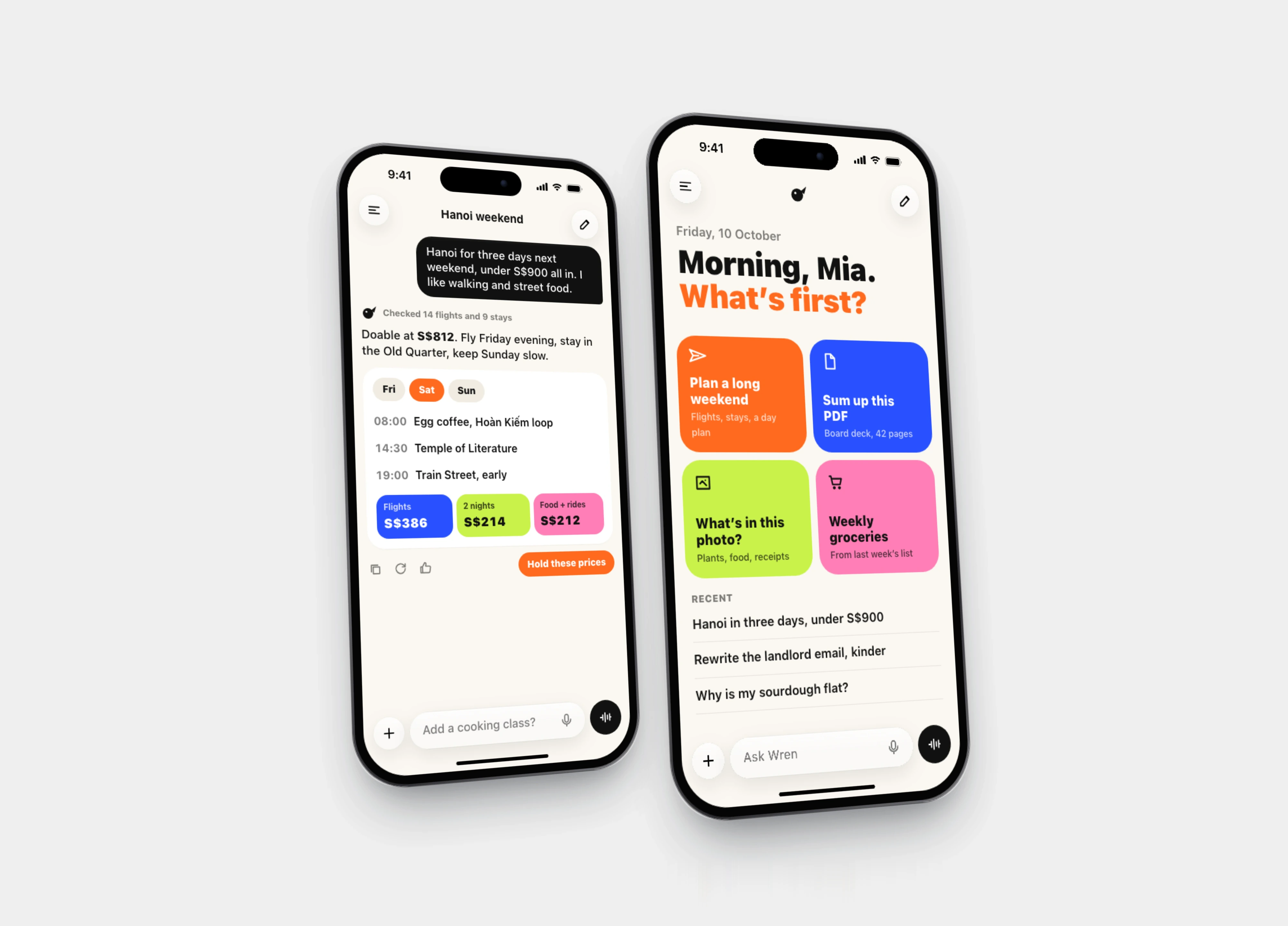
Wren is an AI assistant app for iOS. It is a Khaeli studio study: there is no client and no shipped product. I designed it and built every screen in code, then rendered the screens you see here straight from that code.
The idea is simple. An assistant does not have to look like a dark screen with a glowing orb. Wren is paper, ink and four flat poster colours: tangerine, cobalt, lime and pink. It answers with things you can act on, not walls of text.
The Problem
AI assistants have converged on one look. A dark field, a glowing gradient orb, a chat box. Open three of them side by side and you need the app icon to tell them apart.
The sameness is a branding problem, but there is a usability problem underneath it. Most assistants return long paragraphs. Ask one to plan a weekend within a budget and you get prose you still have to decompose into flights, nights and costs yourself. The answer reads well and does little.
Goals and Constraints
I set two goals before drawing anything.
- Wren had to be recognisable at a glance, without a glow or a gradient in sight.
- Answers had to come back as structures you can use: a plan with a cost split, not paragraphs.
The constraints came from how I work on studies:
Constraints I kept
- Built in code from the first screen. No Figma mockups, every screen is React and CSS rendered at native iPhone size.
- A closed palette: paper
#FBF8F2, ink#121212, and four poster colours (tangerine#FF6A1F, cobalt#2950FF, lime#C9F24A, pink#FF7EB6). Nothing else. - Honest numbers. The sample plan's cost split has to add up, because an assistant that shows arithmetic that does not add up is worse than one that shows none.
The Solution
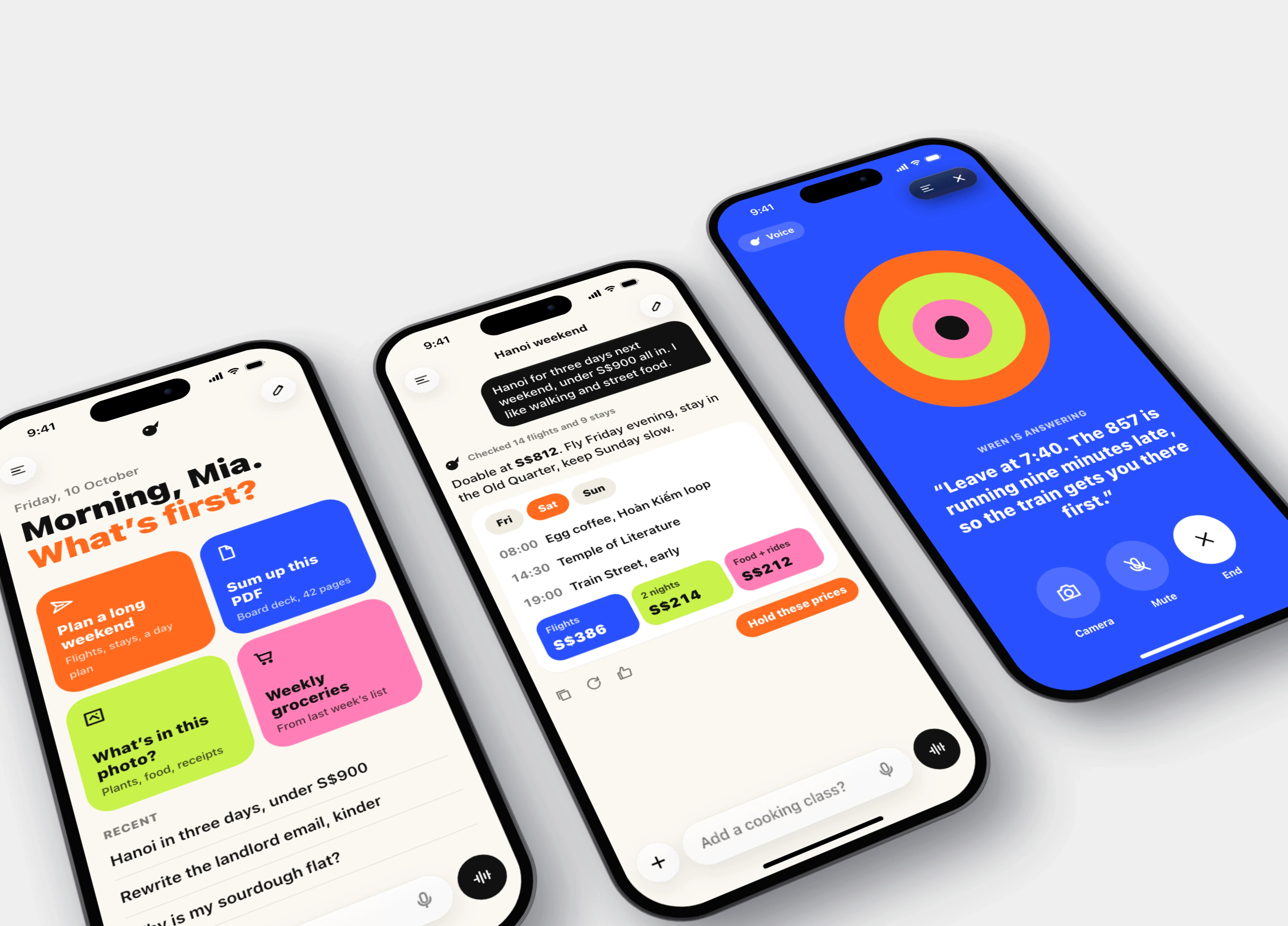
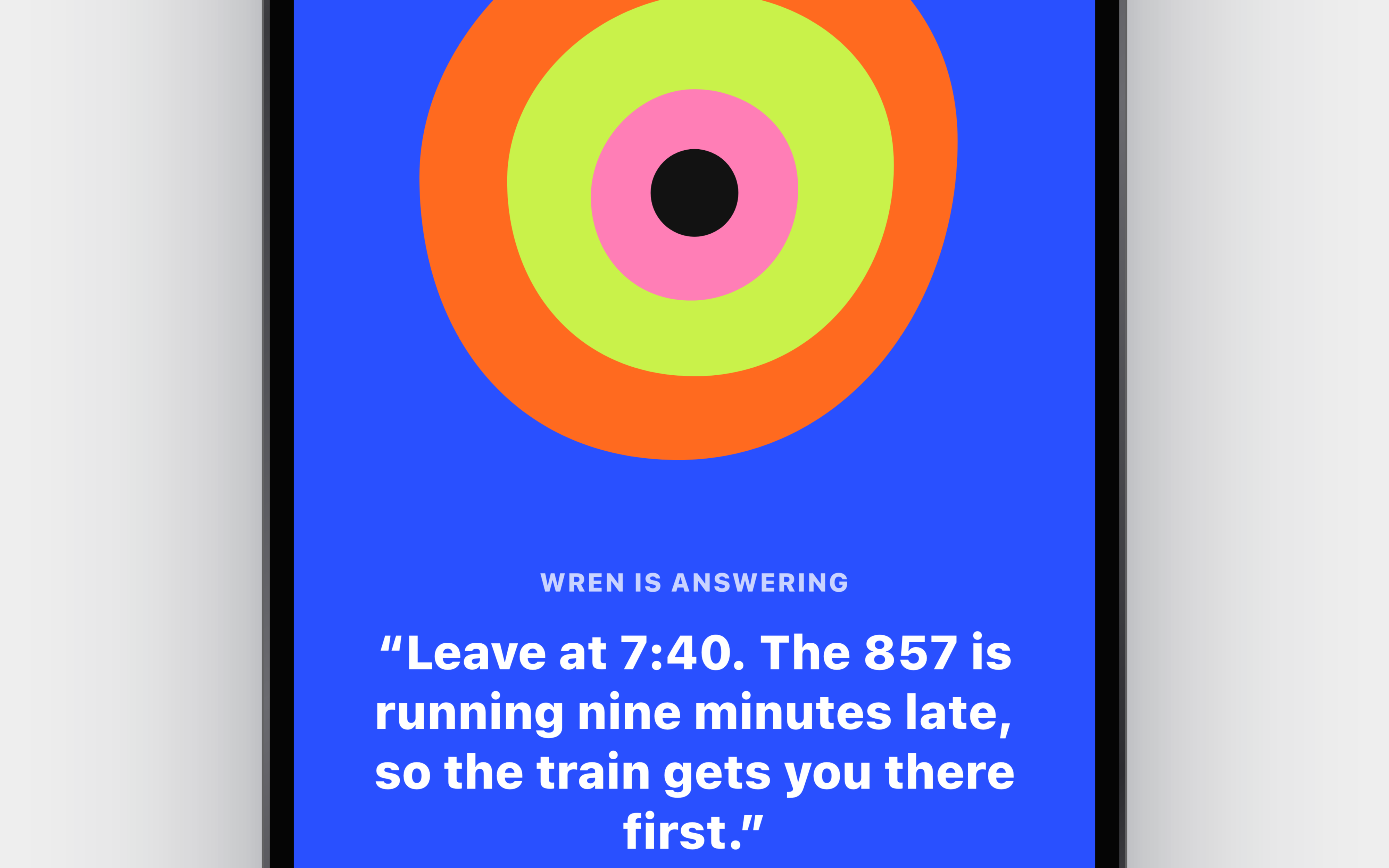
Three screens carry the concept: a home screen that proposes work instead of waiting for a prompt, a chat that answers with a plan, and a voice mode built from flat shapes.
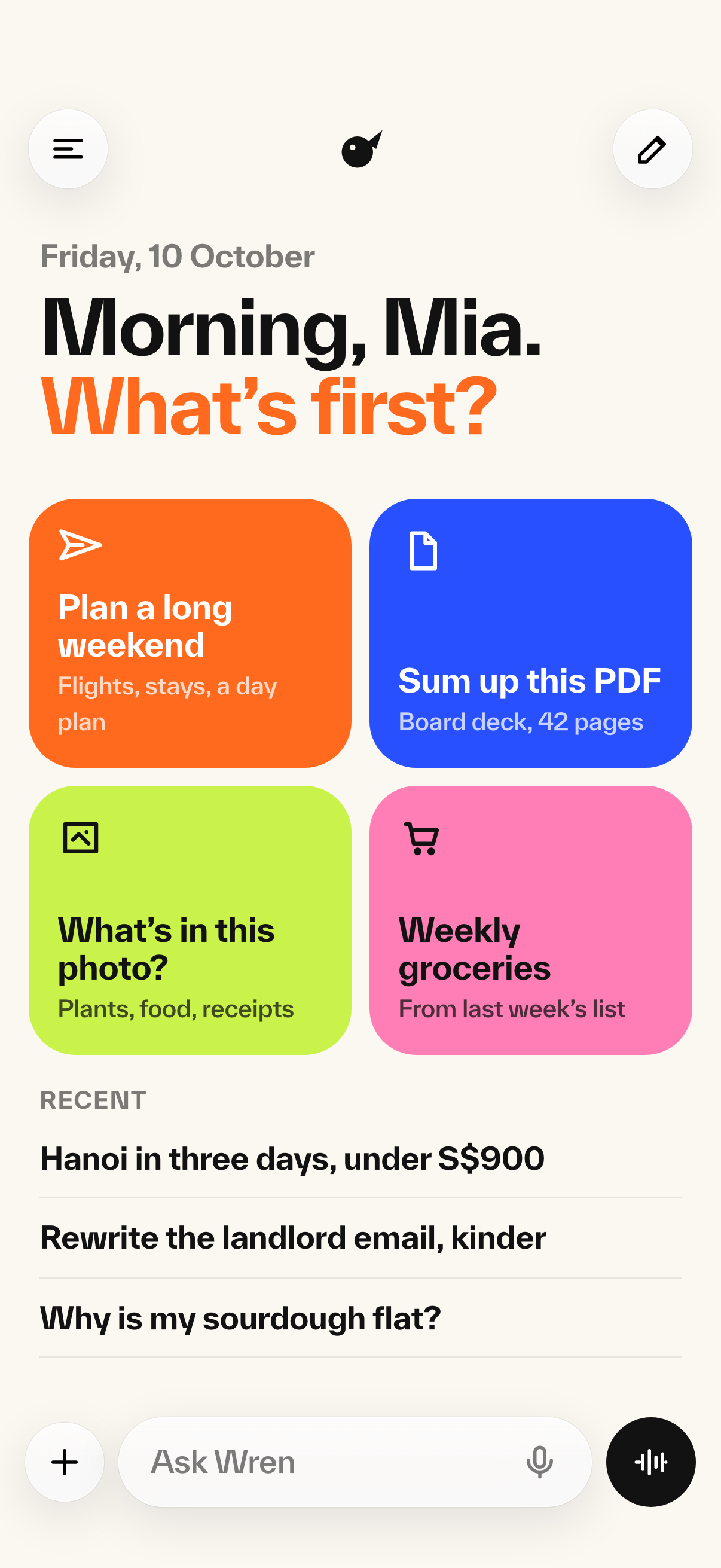
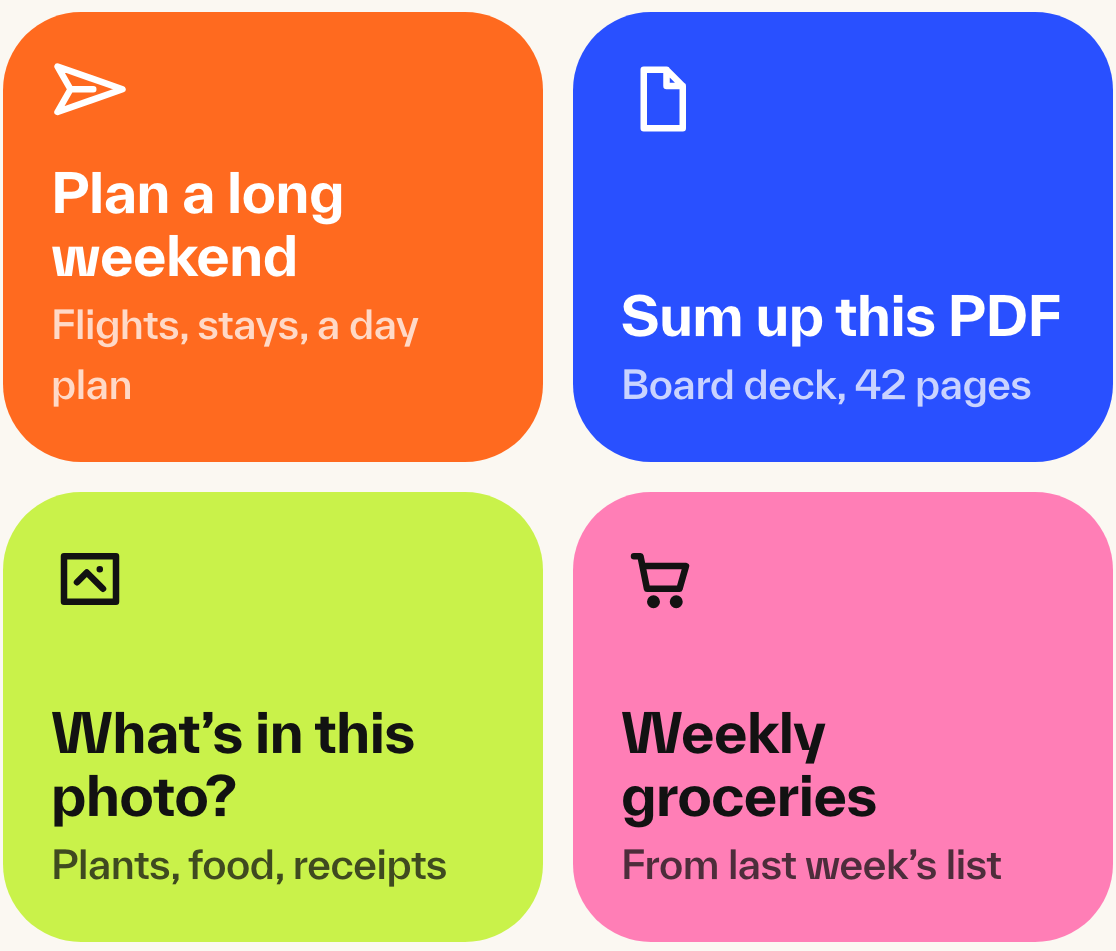
Four quick starts, no blank prompt
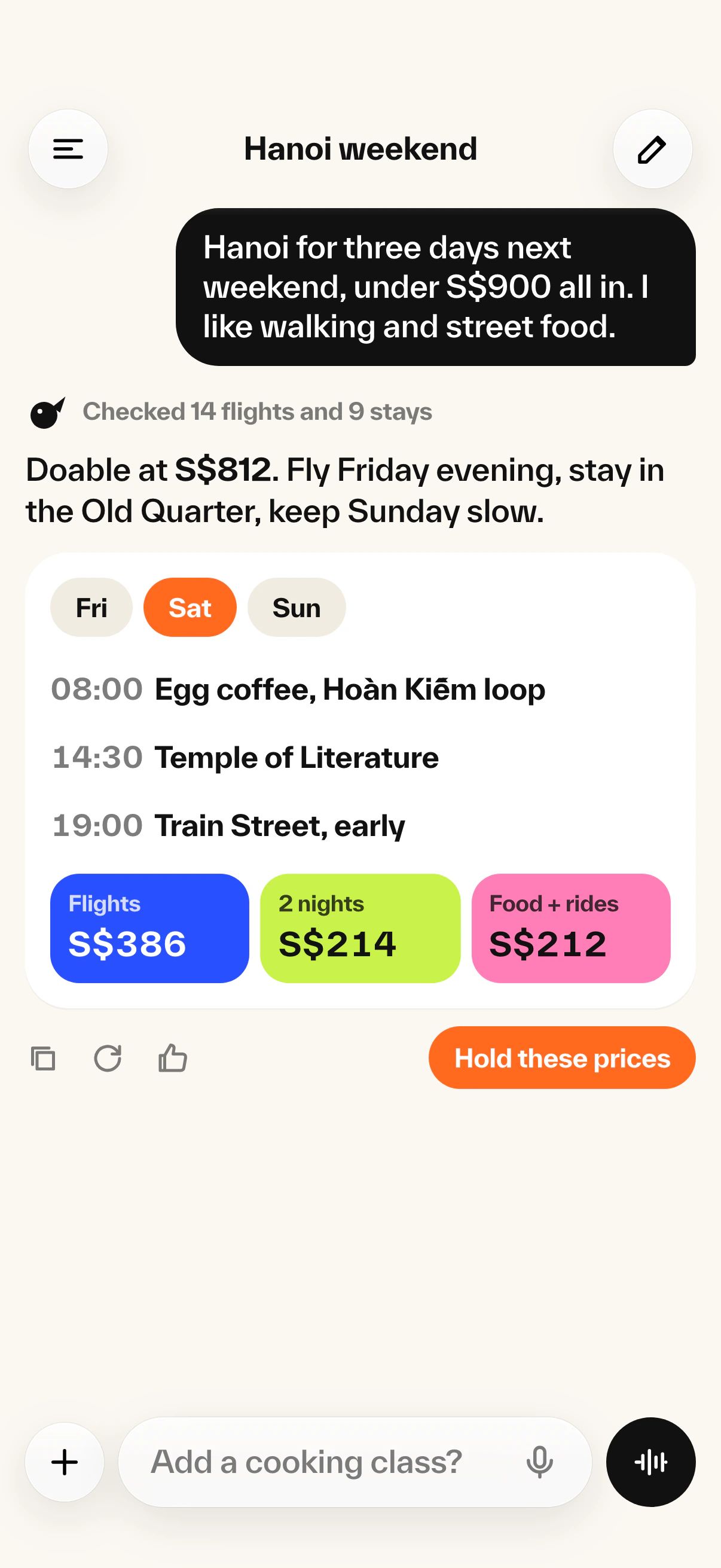
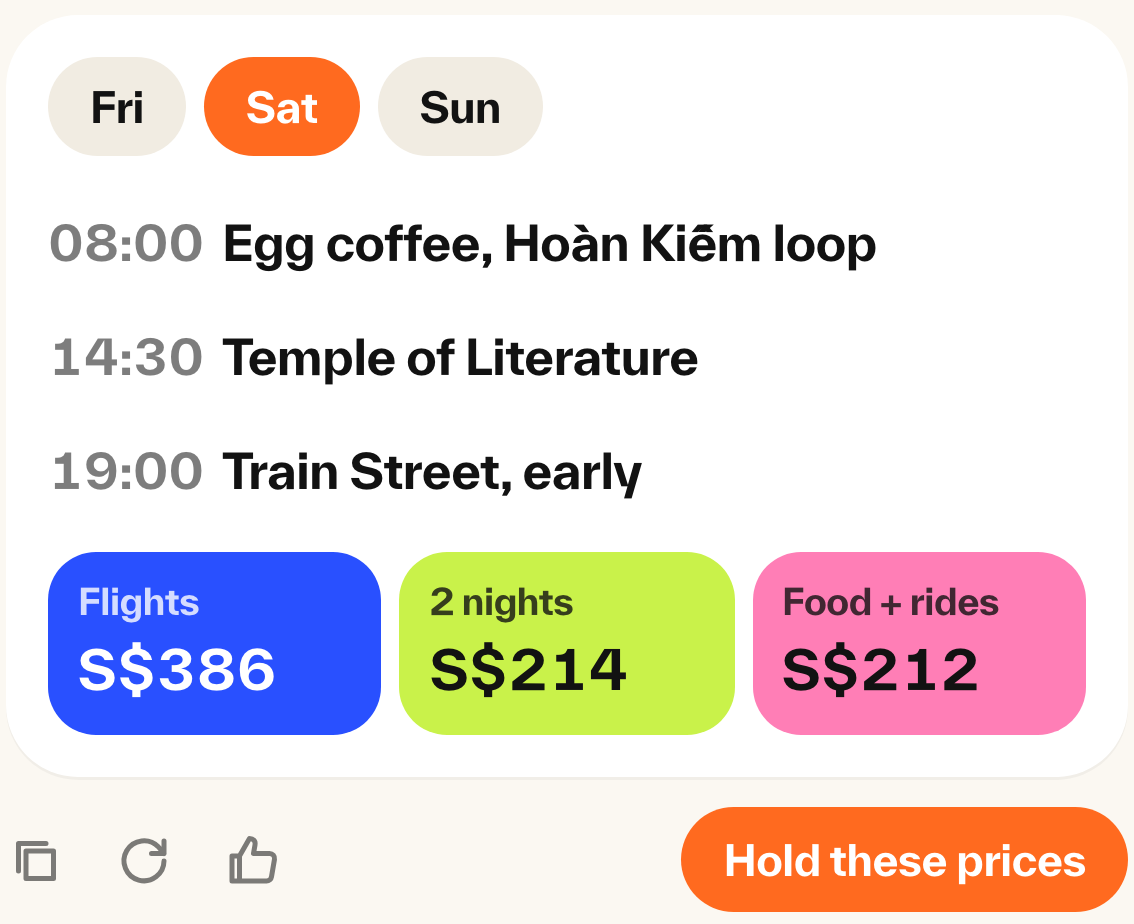
Answers you can act on
Voice without the glow
Process
I design studies directly in code. Each Wren screen is a React component laid out at native iPhone size, so spacing, type and colour decisions are made against the real rendering engine, not a static artboard. When a tile felt heavy I changed the code and looked again on the next render.
The study also states the stack I would use to ship Wren for real, because an app concept without an engineering answer is only half a concept.
| Layer | Choice | Why |
|---|---|---|
| App | Swift, SwiftUI | Fast streaming text and a native voice mode |
| Model | LLM API with streaming and tool calls, behind a backend | Answers come back as structured plans, not paragraphs |
| Voice | Realtime speech API over WebRTC | Low latency talk-back |
| Backend | Next.js on Vercel, Supabase (PostgreSQL) | Chats, plans and keys kept off the device |
Key Features
The home screen opens with four quick-start tiles, one per poster colour. A blank text box makes people guess what the assistant is for; the tiles show it.
Ask for a Hanoi weekend under S$900 and Wren replies with a day plan and a cost split: S$386 flights, S$214 for two nights, S$212 for food and rides, S$812 all in. The totals add up and the plan is one tap from being held.
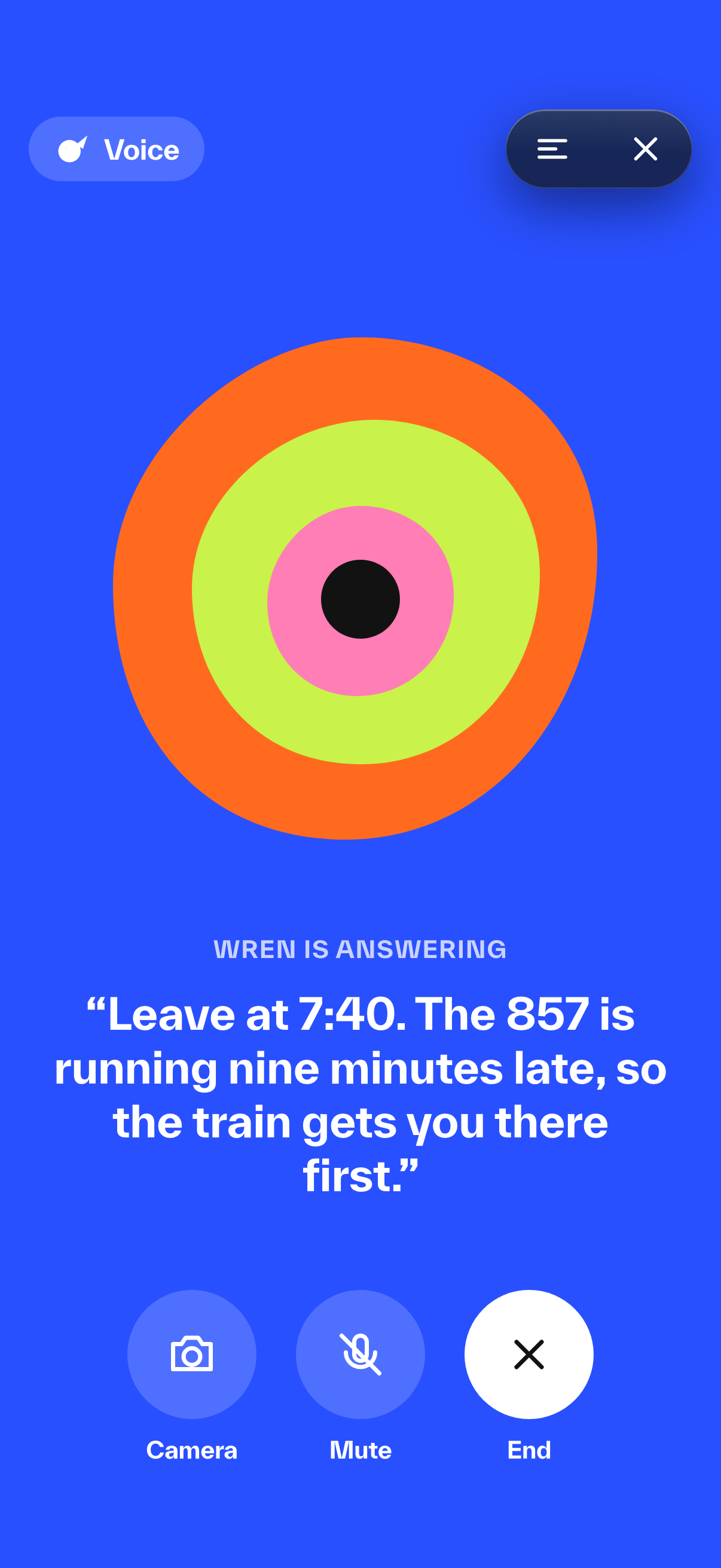
Voice mode drops the orb. A concentric blob of the four poster colours moves with speech on a flat cobalt field, with the live transcript underneath and three large controls: Camera, Mute, End. It stays readable at arm's length.
What I Learned
Designing in code is faster than it sounds for this kind of work. The palette and type decisions hardened quickly because every iteration was judged in the real renderer, and the finished screens doubled as the production-quality renders on this page. No redraw step, no drift between mockup and build.
Structure is the real differentiator for assistants, more than the colour system that first motivated the study. The poster palette makes Wren recognisable, but the plan card with a cost split that adds up is what makes it feel useful. If I took Wren further, the work would start there: more answer shapes like plans, splits and schedules, and a backend that returns them as data instead of prose.
And constraints did most of the design. Four colours plus paper and ink sounds restrictive, but it ended every "which colour here?" debate before it started.
Tools used
React, CSS